
Manage Autodeploy
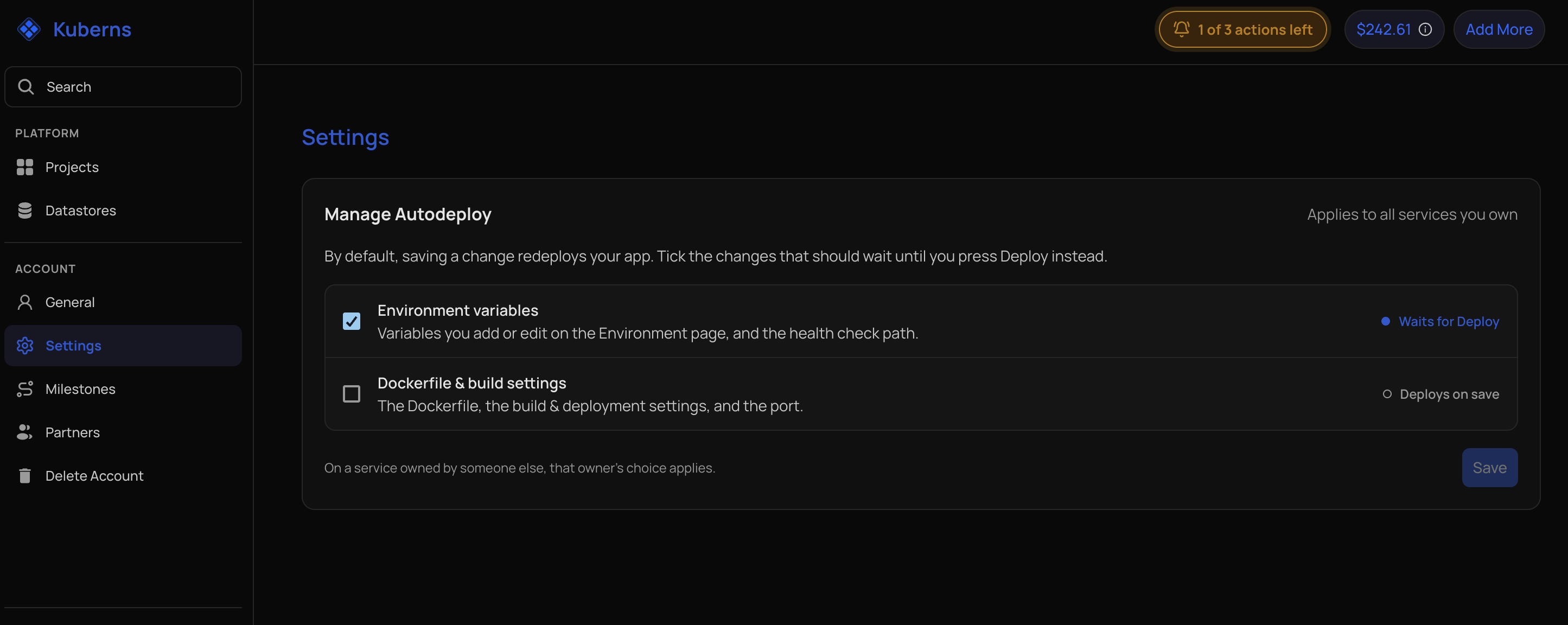
By default, saving a change in the dashboard redeploys the service. Manage Autodeploy lets you hold some kinds of change until you have made all of them, and then deploy them together with one Deploy button.
Choose what waits
- Select your profile menu, then Account.
- Open Settings.
- In Manage Autodeploy, tick the kinds of change that should wait for the Deploy button.
- Select Save.
| Option | Covers |
|---|---|
| Environment variables | Variables you add or edit on the Environment page, and the health check path. |
| Dockerfile & build settings | The Dockerfile, the build and deployment settings, and the port. |
Each row shows what happens right now: Waits for Deploy for a ticked option, and Deploys on save for an unticked one. Nothing is ticked by default, so every save redeploys, as before.
Deploy the waiting changes
When a change is waiting, a Deploy button with a count appears in the header of the service. Make all your changes, then select it and confirm. Kuberns deploys everything that was waiting in one deployment.
On the Build & Deployment page, when changes are held, the button says Save instead of Save & Deploy, and its confirmation says the change is applied on your next deploy.
Which services it applies to
The choice is stored on your account and applies to every service you own.
On a service owned by someone else, the owner's choice applies, whoever saves the change. The owner's build minutes pay for those deployments.
Everyone on a service can see the current choice in Settings → Advanced settings → Manage Autodeploy. It is a read-only list. The owner also gets an Open Account Settings button there. Only the owner can change it.
What is not affected
- Git pushes. A push to a connected branch deploys as usual. Use Ignored paths to skip pushes that only change certain files.
- Template deployments. They always redeploy on save.
- A stopped service. Saved changes are stored and used the next time the service starts.
- Other kinds of change. Scaling, restarts, and custom domains are not part of Manage Autodeploy. They take effect as they always did.