
Health checks
A health check is a path on your application, such as /api/health, that Kuberns requests after a deployment. If the path answers, Kuberns knows the new version is up. If a Git push deployment leaves the application down, Kuberns restores the version that was running before.
The check is off until you set a path.
Set the health check path
- Open the service environment and select Settings.
- Expand Advanced settings.
- In the Health check card, enter a path that starts with a single
/, for example/api/health. - Select Save.
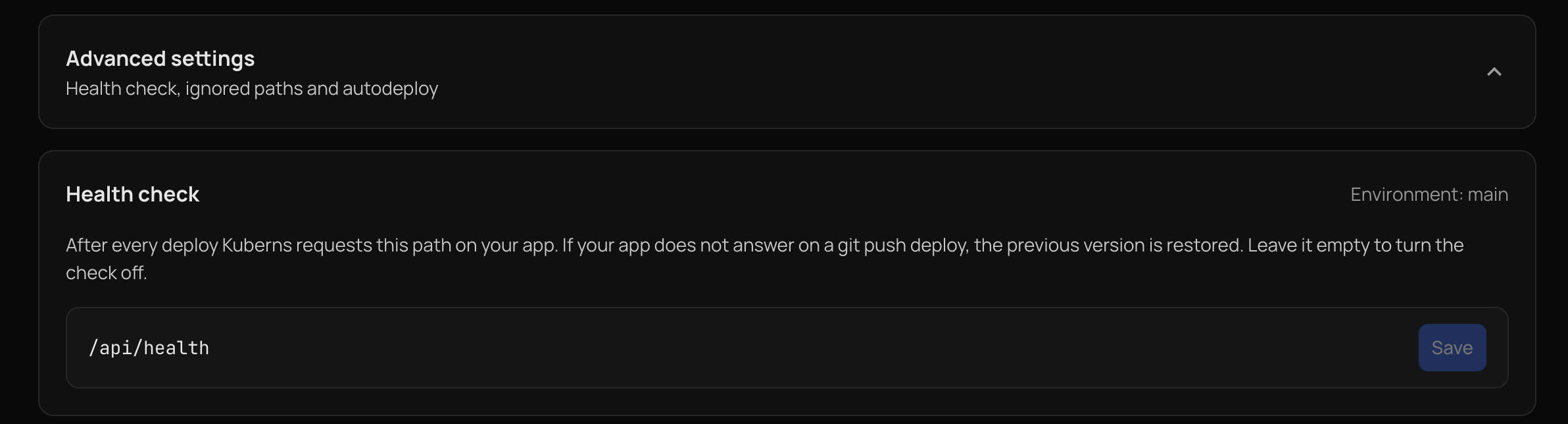
The path belongs to one environment, so each branch can use its own. It must start with a single /, contain no spaces, and be at most 200 characters. To turn the check off, clear the field and save.
The path is stored as the KUBERNS_HEALTHCHECK_PATH environment variable, so it also appears on the Environment Variables page. Changing it in either place is the same change.
Saving the path follows your Manage Autodeploy choice for environment variables. By default it redeploys at once. If you chose to hold environment variable changes, it waits for the Deploy button.
Health checks are not available for template deployments.
What counts as healthy
After a deployment, Kuberns requests the path on your web service's port. The application is healthy when it answers with a status from 200 to 399 twice in a row. Because applications take time to start, Kuberns keeps trying for up to 90 seconds before it gives up.
The result is written to the build log:
Health check passed: GET /api/health returned 200.Health check did not pass: GET /nope returned 404 after 90s. Your deployment finished, but the app may not be healthy yet.
The check runs after every deployment that rolls out a new version of your application: a Git push, a change to environment variables, build settings, or the port, and a start. A check that does not pass is reported in the build log and the deployment still finishes.
Automatic rollback
For a Git push deployment, Kuberns goes one step further and restores the previous version. It does this only when all of these are true:
- The application is really down. It gave no answer, or a 5xx error. A 4xx answer, such as 404 for a wrong path or 401 and 403 for a page that needs a login, means the application is up, so nothing is rolled back.
- The previous version was healthy. It answered the same path before the new deployment replaced it. If it was already down, going back would only swap one broken version for another.
- The previous image is still stored.
- The deployment is not a manual rollback. When you choose a version yourself, Kuberns keeps your choice.
Kuberns goes back one version, never further. The build still shows Success, and its log says Rolled back to the previous version along with what was checked. Fix the problem and push again.
Deployments caused by environment variable, build setting, or port changes are not rolled back automatically. They reuse the same image, so rolling the image back would not undo the change.
Choose a good path
- Pick a path that answers 200 only when the application can serve requests, for example one that also checks its database connection. A path that always answers 200 cannot catch a broken deployment.
- Use a path that does not need a login, so a healthy application is not reported as down.
- Check the path on your running application first. A wrong path returns 404, which is reported in the build log but never rolls anything back.
To pick an older version yourself, see Rollbacks.