
Rollbacks
If the version that is running has a problem, you can go back to an earlier version of the same environment. A rollback redeploys the code of the version you pick. Your current environment variables and settings stay as they are.
Roll back to a previous version
- Open the service environment.
- Select Rollback in the header, next to Reload.
- Pick a version from the list.
- Select Rollback.
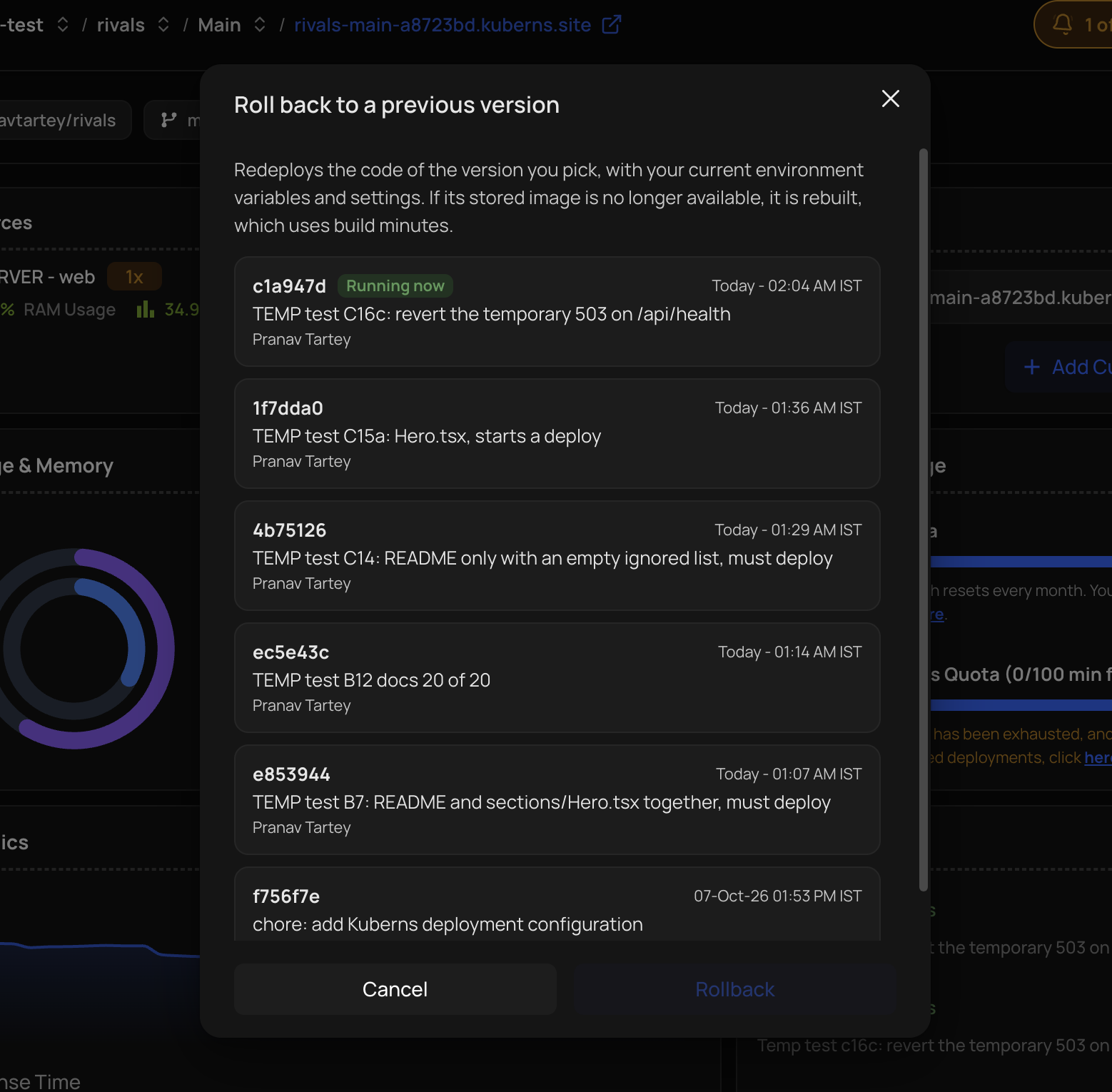
Each entry shows the short commit id, the commit message, the author, and when it was built. The version that is running now is marked Running now.
Which versions are offered
The list shows up to 5 earlier versions, newest first. A version is offered when:
- Its build succeeded.
- It is a different commit from the one running now. If a commit was built more than once, the newest build is shown.
- It was not itself rolled back by an automatic rollback.
If the environment has fewer than five such versions, you see all of them.
What a rollback does
- It redeploys the code of the version you picked, using your current environment variables and settings.
- If the stored image of that version is no longer available, Kuberns rebuilds it. A rebuild uses build minutes.
- It counts as a deployment, so on a free trial it uses one of the daily deployments.
- The health check does not roll a manual rollback back. The version you chose stays.
- It is a one-time redeploy. The next push to the branch deploys its new commit as usual.
Rollbacks happen at your request. For a deployment that leaves the application down, Kuberns can also go back by itself. See Health checks.