Deploy Strapi on Kuberns
This guide explains how to self-host Strapi on Kuberns using the one-click AI template.
Strapi is a popular open-source headless CMS built with Node.js. It allows you to build APIs quickly and manage content with a customizable admin panel.
Kuberns simplifies this process while still allowing full customisation of your Strapi project.
Before You Begin
Before deploying Strapi on Kuberns, make sure you have:
- A Kuberns account
- A GitHub account
- Basic familiarity with Strapi
Unlike other templates, Strapi requires a GitHub repository because Strapi projects are meant to be customised.
Steps for Self-Hosting Strapi on Kuberns
Deploying Strapi on Kuberns is done using a one-click template combined with your own GitHub repository. Strapi is a fully customisable CMS project. This means you must fork and connect your own repository before deployment.
Kuberns takes care of the runtime, storage, and infrastructure configuration. You only handle project details and secure environment variables.
Step 1: Open the Strapi One-Click Template
Go to the Templates page on Kuberns, select the Strapi one-click AI template and click Deploy.
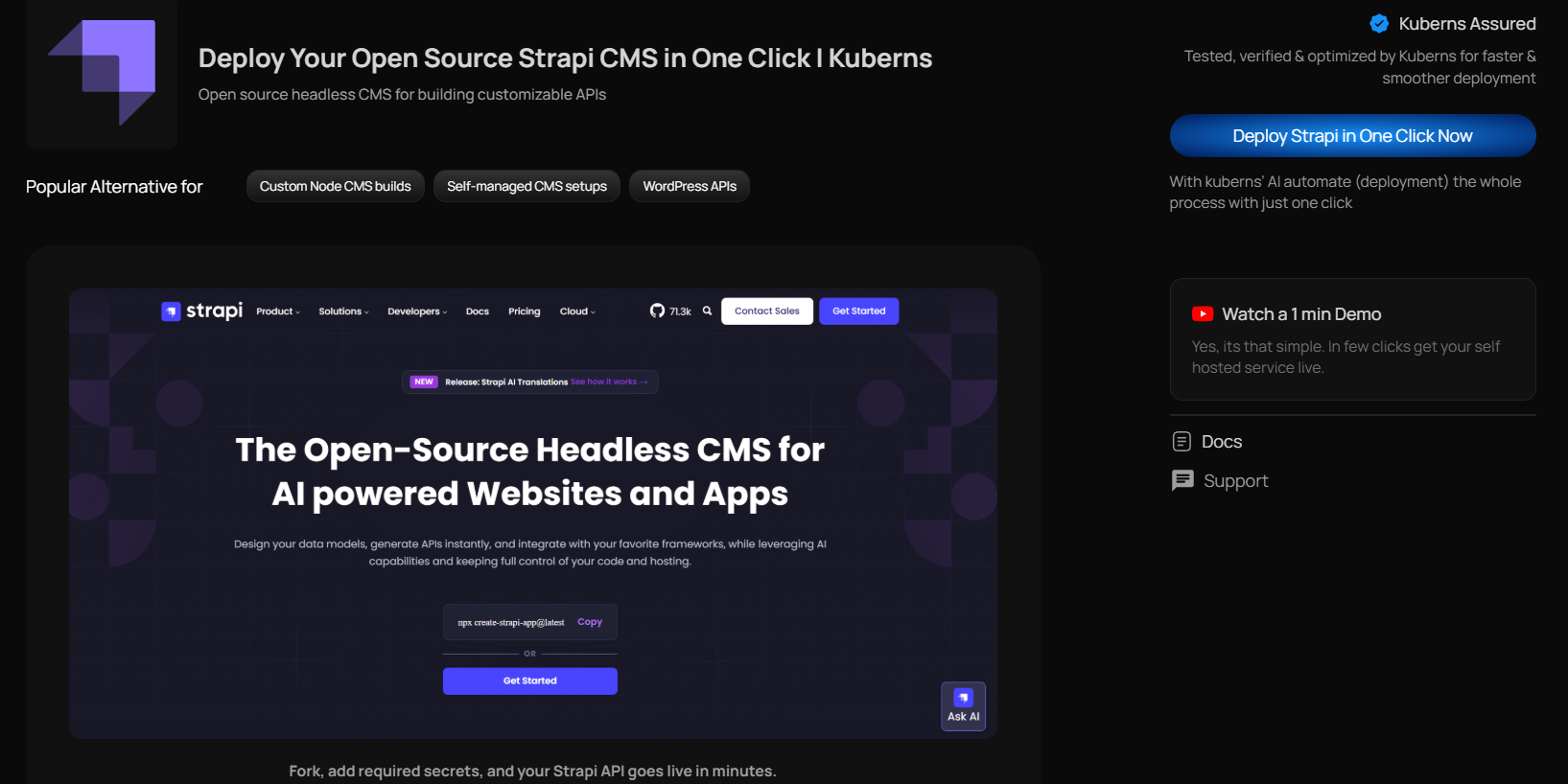
This template is specifically prepared for running Strapi in production. It includes:
- Proper Node.js runtime configuration
- Production-ready deployment settings
- Persistent storage setup
- Secure networking configuration
You are not starting from a blank service or configuring containers manually. Once you open the template, you are taken directly to the deployment dashboard.
Step 2: Fork, Connect GitHub & Add Environment Variables
Strapi is not just a ready-to-run application. It is a customisable CMS backend.
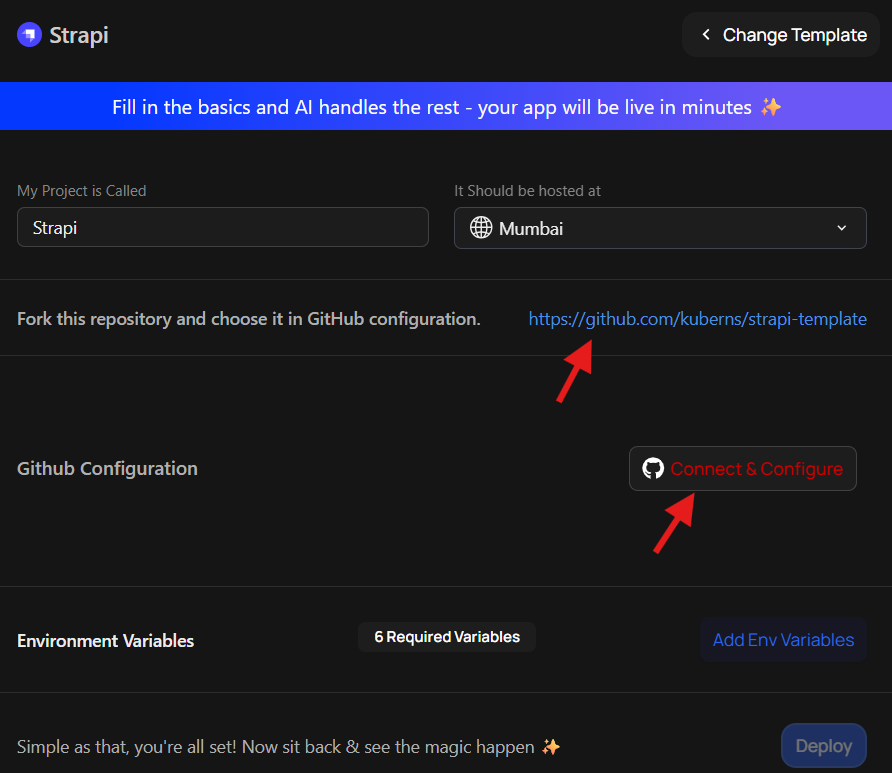
Forking the repository gives you:
- Full control over content types
- Ability to install plugins
- Freedom to modify API logic
- Control over future updates
- A private codebase for your production CMS
Without forking, you would not be able to customise your Strapi project properly. Fork the Strapi starter repository to your GitHub account.
After forking:
- Connect your GitHub account to Kuberns
- Select your forked Strapi repository
- Fill in the basic project details:
- Project name
- Select your server region
These are simple hosting decisions.
Step 3: Add Environment Variables and Click Deploy
Strapi requires secure production environment variables. These are mandatory.
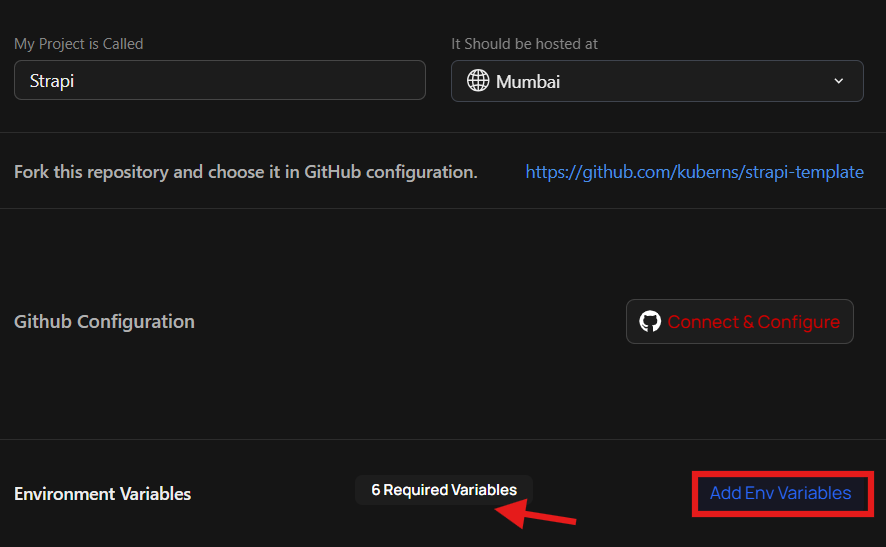
From your setup screen, you must configure:
ADMIN_JWT_SECRETJWT_SECRETAPP_KEYSAPI_TOKEN_SALTTRANSFER_TOKEN_SALTENCRYPTION_KEY
These variables are used for authentication, token signing, encryption, and application security.
Once all these processes are done, click Deploy.
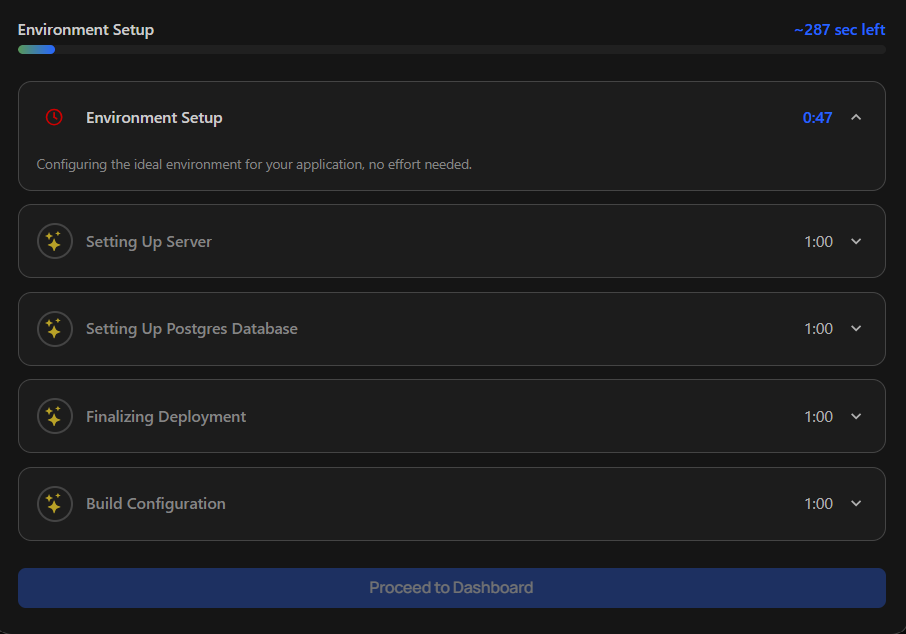
From this point onward, Kuberns handles the entire deployment process automatically. This includes:
- Building your Strapi project
- Configuring the Node.js runtime
- Setting up persistent storage
- Exposing the application with a secure public URL
- Ensuring deployment survives restarts and updates
You can watch the deployment logs in real time while the build is happening. When deployment completes, your Strapi application will be live.
How to Generate Strapi Environment Variables
Strapi requires several secure environment variables to run in production. These variables are used for authentication, token generation, encryption, and application security.
You must generate secure random values for each variable before deployment. Below is a complete reference table explaining what each variable does and how to generate it.
| Variable Name | Purpose |
|---|---|
| ADMIN_JWT_SECRET | Secures the Strapi admin panel authentication |
| JWT_SECRET | Signs authentication tokens for API users |
| APP_KEYS | Used to sign cookies and manage sessions |
| API_TOKEN_SALT | Used when generating API tokens |
| TRANSFER_TOKEN_SALT | Used for secure content transfer operations |
| ENCRYPTION_KEY | Used for encryption features inside Strapi |
Important Security Notes
- Never commit these values to GitHub
- Never share them publicly
- Store them only inside Kuberns environment variables
- Keep them consistent for your production environment
Accessing Your Strapi Live Link
Once deployment is complete, your LIVE URL will be available in the Kuberns dashboard.
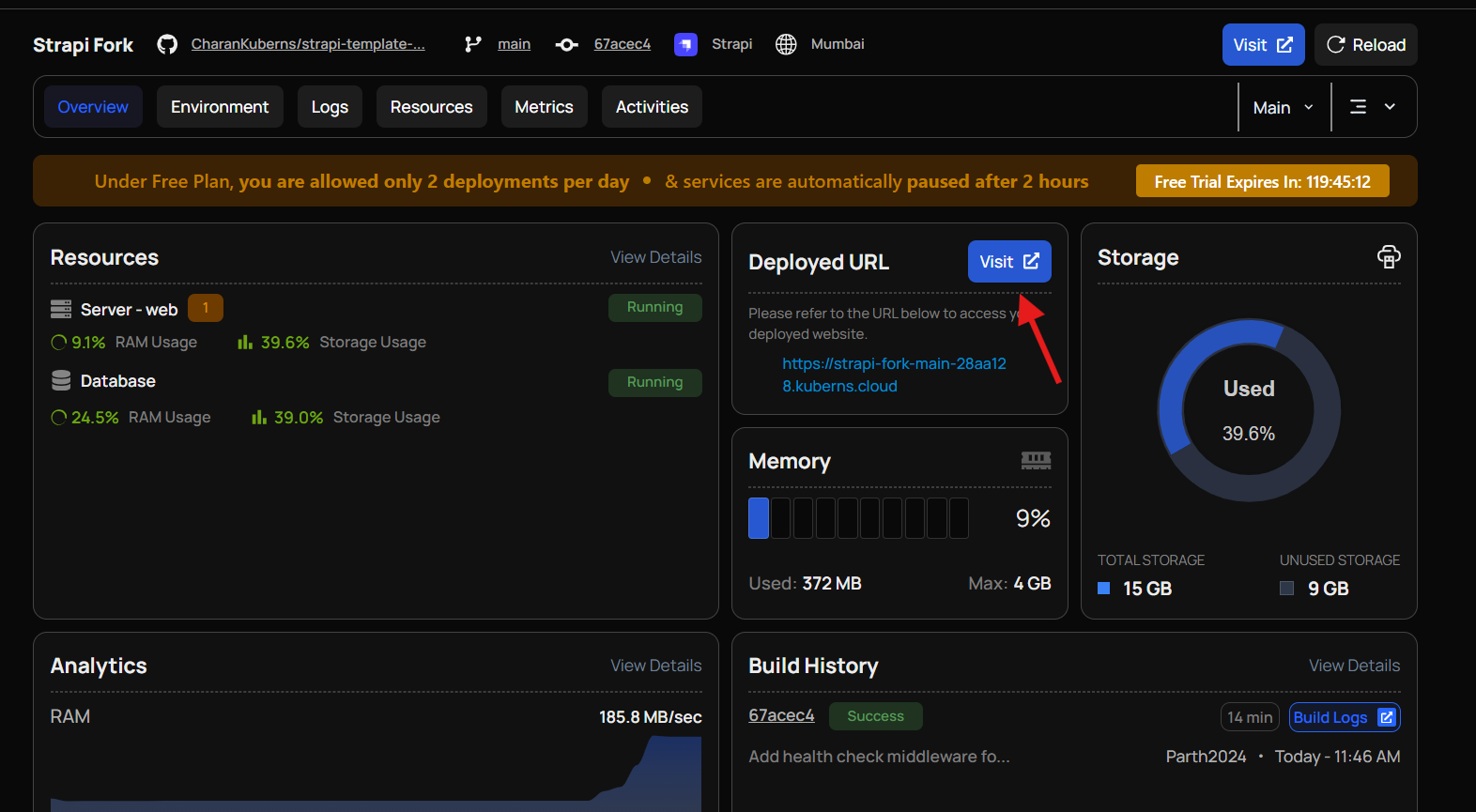
You will receive:
- A default Kuberns-provided HTTPS URL
- SSL enabled automatically
- No manual certificate setup required
Open the URL and access:
- Your Strapi admin panel
- Your API endpoints
Your Strapi backend is now running in production.
Why Deploy Strapi on Kuberns?
- Full Customisation with GitHub Control: You deploy your own forked Strapi repository, giving you complete control over content types, plugins, API logic, and future updates.
- Production-Ready by Default: Strapi is configured with the correct Node.js runtime, persistent storage, and secure networking from day one.
- Secure Environment Variable Management: All required production secrets are stored safely inside Kuberns. No need to hardcode sensitive values or manage secret files manually.
- Automatic HTTPS and Public Access: Your Strapi application is exposed through a secure HTTPS URL. SSL certificates are handled automatically.
- Persistent Storage Included: Uploaded media, content data, and application state are stored safely and survive restarts or redeployments.
- Built-in Logs and Monitoring: Real-time logs and resource usage metrics are available directly from the Kuberns dashboard.
- Scalable When Needed: You can scale CPU and memory resources without manually reconfiguring your deployment.
- Focus on Building Content, Not Managing Servers: Instead of worrying about infrastructure, you can focus on creating APIs and managing content in Strapi.