Sharetribe Deployment Guide on Kuberns | Deploy in One Click
This guide shows how to [deploy the Sharetribe on Kuberns using a one-click template] (https://kuberns.com/templates/25482ca6-cbb7-46a4-aca2-c91ce7fecc89). Unlike traditional platforms like Heroku or Render, Kuberns handles infrastructure, builds, scaling, and SSL automatically. The only manual step is adding the required environment variables.
You do not need to configure servers, buildpacks, or CI/CD pipelines.
Before you begin
Before deploying Sharetribe on Kuberns, make sure you have the following accounts and credentials ready:
Deploying Sharetribe on Kuberns
Step 1: Fork the Sharetribe repository
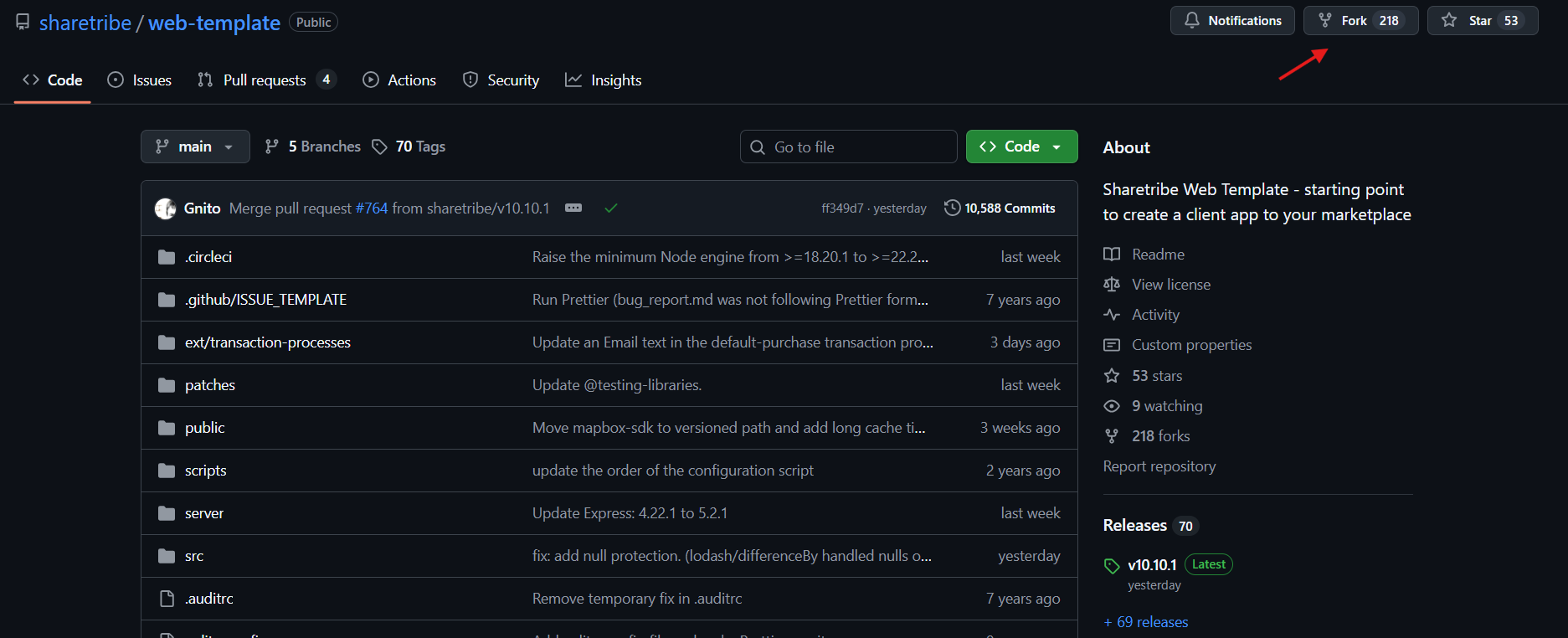
To deploy Sharetribe on Kuberns, you first need to fork the Sharetribe code in your own GitHub account.
Open the sharetribe repository and click the Fork button in the top-right corner. This creates a copy of the Sharetribe repository under your GitHub account. This forked repository is what you will deploy on Kuberns. It helps you make any customisation required for your business.
Step 2: Open the Sharetribe template
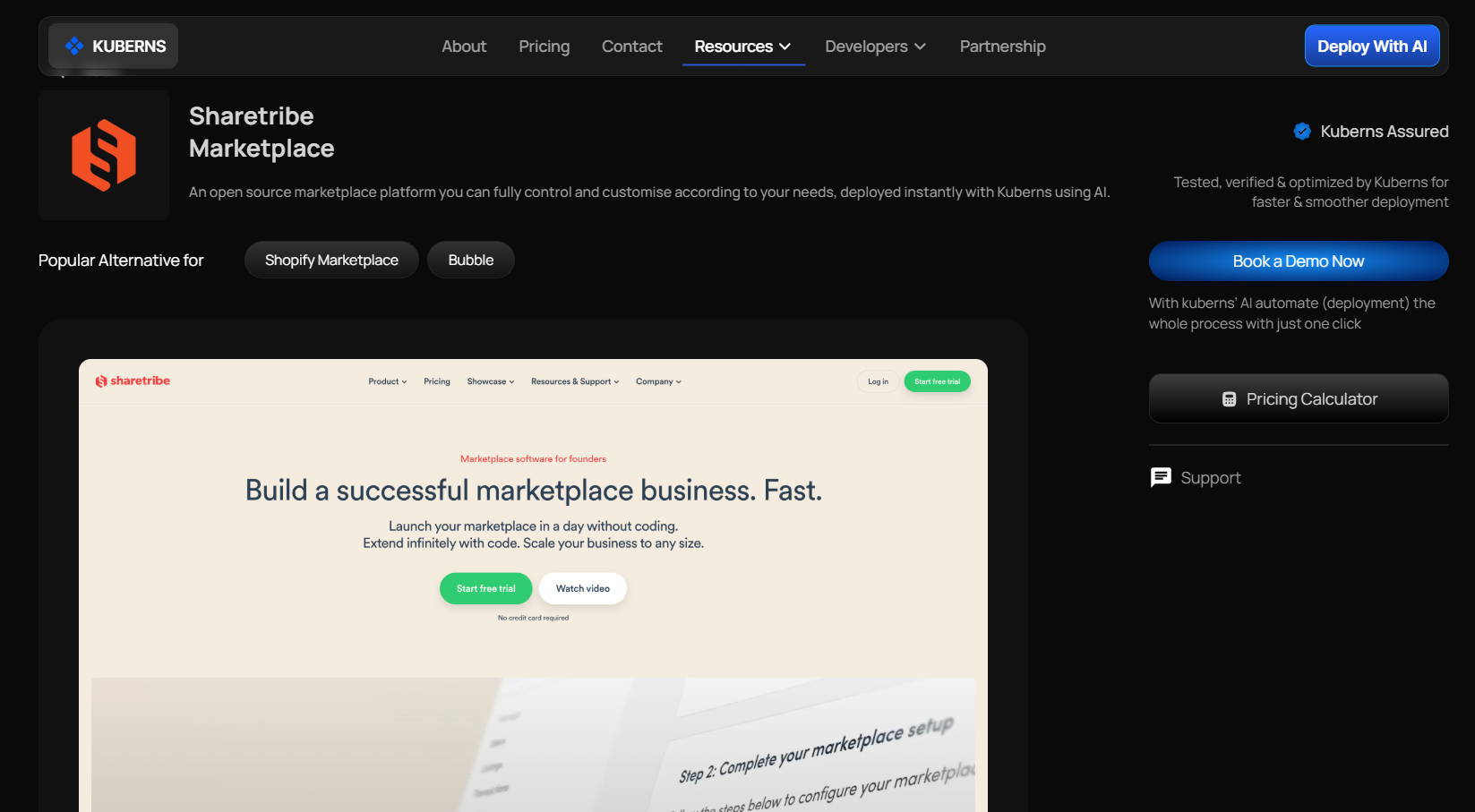
Go to the Kuberns Templates page → Find the Sharetribe One-Click Template → Open the template and click Deploy. This will take you to the one-click deployment page.
Step 3: Connect GitHub Repo and Fill in basic project details
Just connect your GitHub account, select the repository, and choose the Sharetribe repository that you just forked.
Select the branch you want to deploy, usually main or master.
Then fill in the basic service details such as project name, server location, and plan.
The starter plan is selected by default and works well for initial deployments.
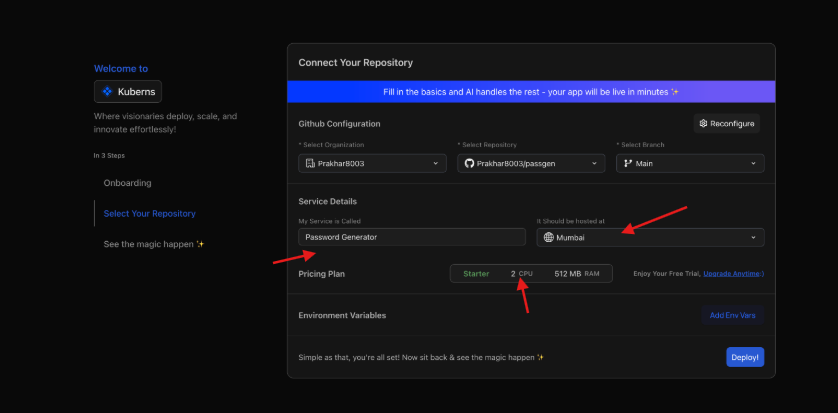
At this stage, no infrastructure or runtime configuration is required. All infrastructure-related setup is handled automatically by Kuberns AI.
Step 4: Add environment variables
Environment variables are the only required manual configuration for deploying Sharetribe on Kuberns.
Before deploying your Sharetribe marketplace on Kuberns, you need to add the following environment variables. These values allow Sharetribe to connect with its APIs, Stripe, and other required services.
| Environment Variable | Description |
|---|---|
REACT_APP_SHARETRIBE_SDK_CLIENT_ID | Client ID from the Sharetribe Console. This is used by the frontend to communicate with Sharetribe APIs. |
SHARETRIBE_SDK_CLIENT_SECRET | Client secret from the Sharetribe Console. This is used for secure server-side API communication. |
REACT_APP_STRIPE_PUBLISHABLE_KEY | Stripe publishable key used on the frontend to create payment tokens. |
STRIPE_SECRET_KEY | Stripe secret key used on the server to process payments and manage transactions. |
STRIPE_WEBHOOK_SECRET | Webhook signing secret from Stripe. This is required to securely receive Stripe webhook events. |
REACT_APP_MARKETPLACE_ROOT_URL | The canonical URL of your marketplace. After deployment, update this or add your custom domain. |
REACT_APP_MARKETPLACE_NAME | The name of your marketplace as shown in the UI. If not set, a default name is used. |
REACT_APP_ENV | Environment identifier used by the Sharetribe app. Set this to production for most setups. |
NODE_ENV | Defines whether the app runs in development or production mode. Set this to production. |
REACT_APP_CSP | Content Security Policy mode. Set this to report. |
PORT | Port on which the application runs. This is required for the server to start correctly. Set this to 3000. |
SHARETRIBE_INTEGRATION_CLIENT_ID | Integration client ID from Sharetribe Console, used for background and integration API access. |
SHARETRIBE_INTEGRATION_CLIENT_SECRET | Integration client secret from Sharetribe Console, used with the integration client ID for secure access. |
Step 5: Deploy
Once all required environment variables are added:
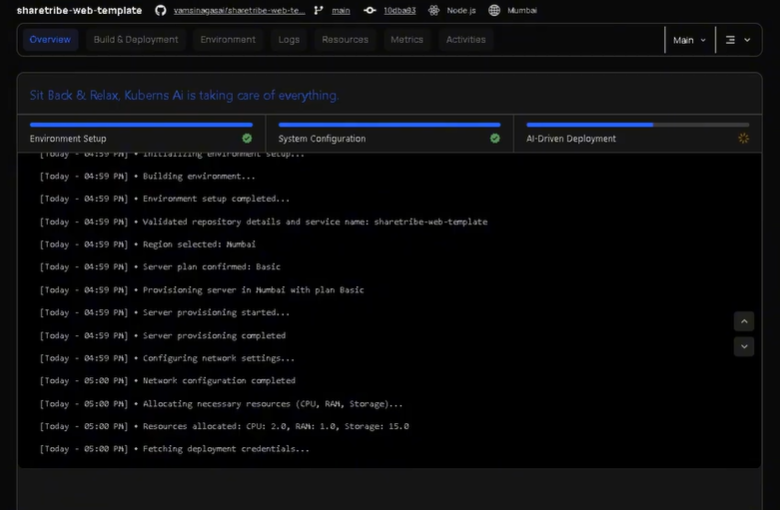
Click [Deploy] (https://dashboard.kuberns.com/) and Kuberns AI will automatically:
- Build the application
- Provision infrastructure
- Configure networking
- Enable SSL
- Start the Sharetribe service
Accessing your Sharetribe marketplace
No manual configurations needed that are shown in render or heroku.
Once deployment is complete, your marketplace will be available at:
- [A default Kuberns-provided HTTPS URL] (https://dashboard.kuberns.com/)
- SSL is enabled automatically
- No manual certificate setup required
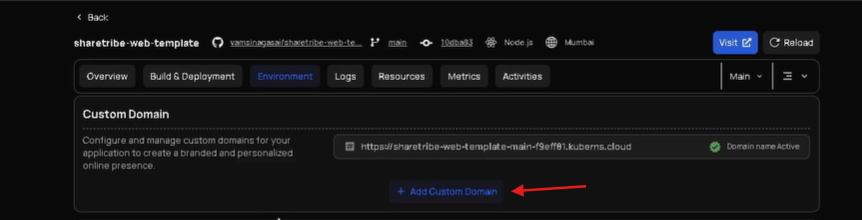
Adding Custom Domain
Just go to the environment tab in the dashboard, and there you will find 'add custom domain' button.
You can connect a custom domain to your Sharetribe marketplace. SSL is configured automatically, so your marketplace is accessible over HTTPS without any manual certificate setup.
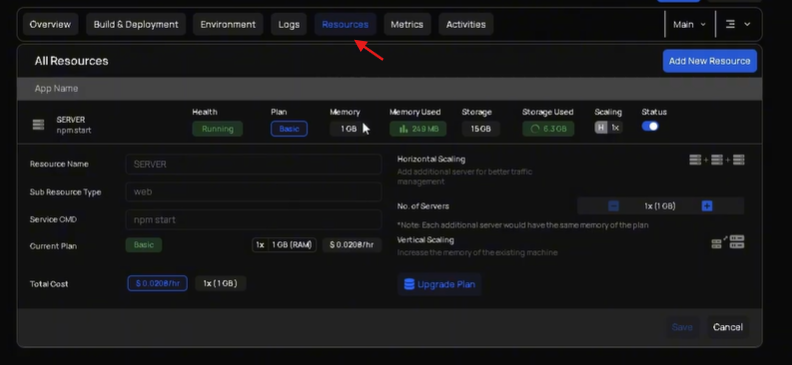
Resources
The Resources section shows what is actually running your Sharetribe marketplace behind the scenes. This includes the servers and containers that power your application, along with the amount of CPU and memory allocated to them.
You can scale your marketplace as your traffic grows. If your marketplace needs more resources, you can increase CPU or memory for the existing server. If you expect higher traffic, you can add more servers with a single click. All scaling actions are handled automatically by Kuberns, without requiring any Kubernetes or infrastructure knowledge.
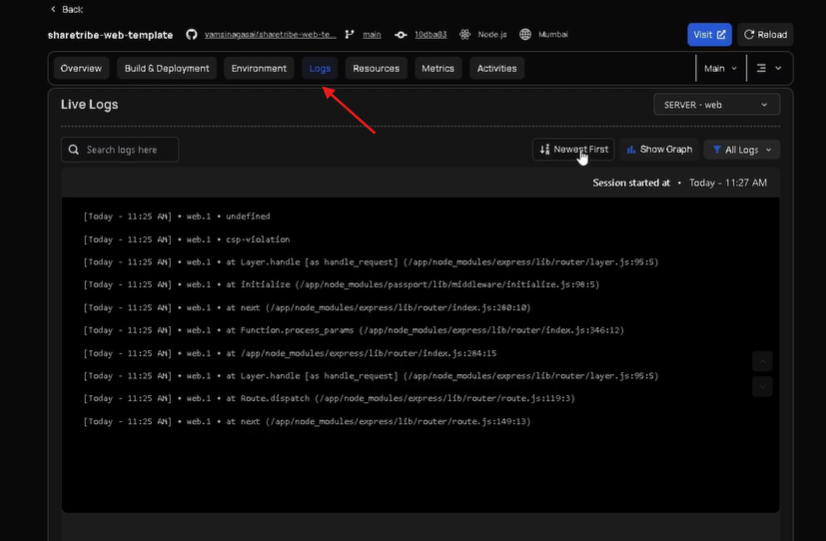
Logs and monitoring
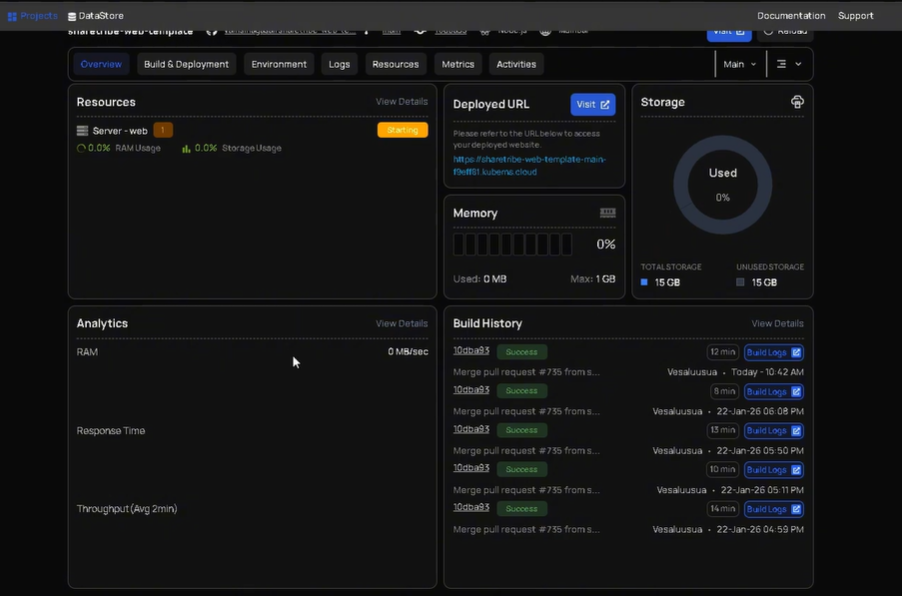
Kuberns provides built-in logs and deployment status for your Sharetribe app. You can use logs to check build status, and debug startup issues.
No external logging setup is required.
Environment variables and custom domains
Here you manage your environment variables and marketplace configurations. You can edit existing variables, add new ones, or upload them using a file whenever needed. Any change to environment variables automatically triggers a new deployment so that the changes are applied correctly.
Alerts
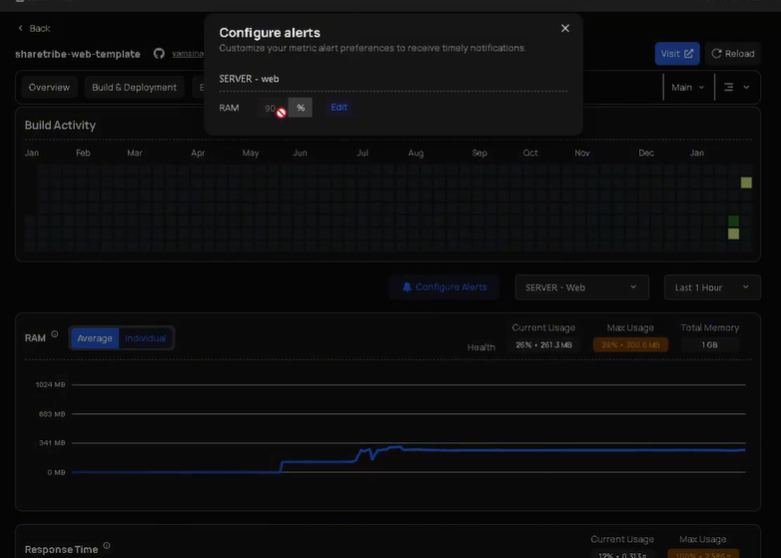
Kuberns allows you to configure alerts based on resource usage. For example, you can receive a notification when memory usage reaches a certain percentage or when CPU usage spikes unexpectedly. Alerts help you catch issues early, before they affect users on your marketplace. This is especially useful as your Sharetribe app starts getting real traffic.
Watch: Deploy Sharetribe on Kuberns in minutes
Watch the full step-by-step deployment walkthrough here to understand how you can fork the project from GitHub and deploy on Kuberns.
Why deploy Sharetribe on Kuberns
Compared to traditional platforms:
- No buildpacks or manual Node.js configuration
- No manual redeploy steps
- No SSL or reverse proxy setup
- AI handles infrastructure, scaling, and deployments
- And you get complete freedom to customise, which is not possible on platforms like Heroku, Render, etc
You focus only on configuring Sharetribe itself. Deploy sharetribe now on Kuberns using AI in one click